Stalwart Mail Server: The Rust-Powered All-in-One Email Platform You Should Know
What Is Stalwart Mail Server?
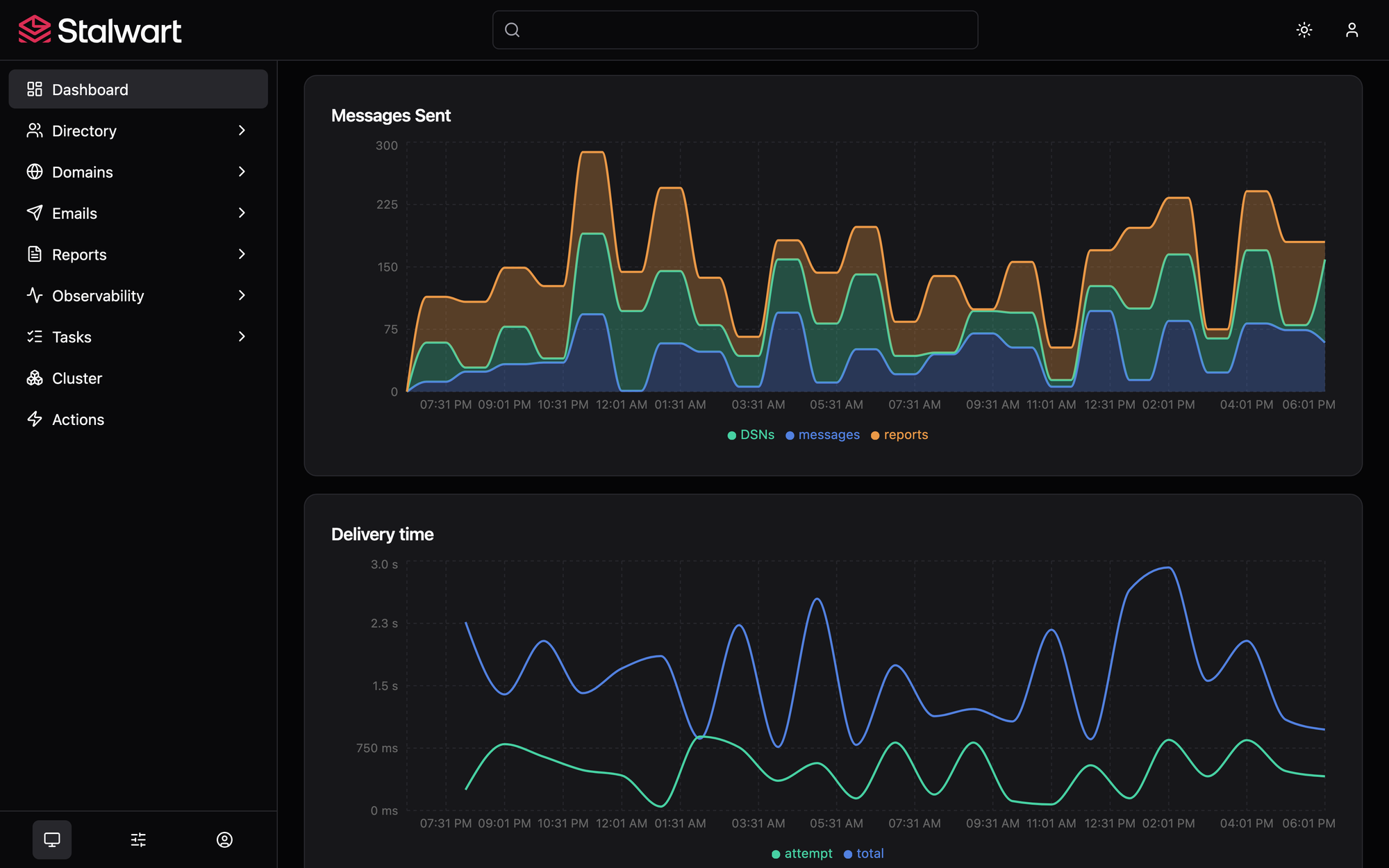
Running your own mail server has traditionally meant stitching together half a dozen services: Postfix for SMTP, Dovecot for IMAP, SpamAssassin for filtering, and separate daemons for calendaring and contacts. Stalwart collapses all of that into a single binary, written in Rust for memory safety and performance.
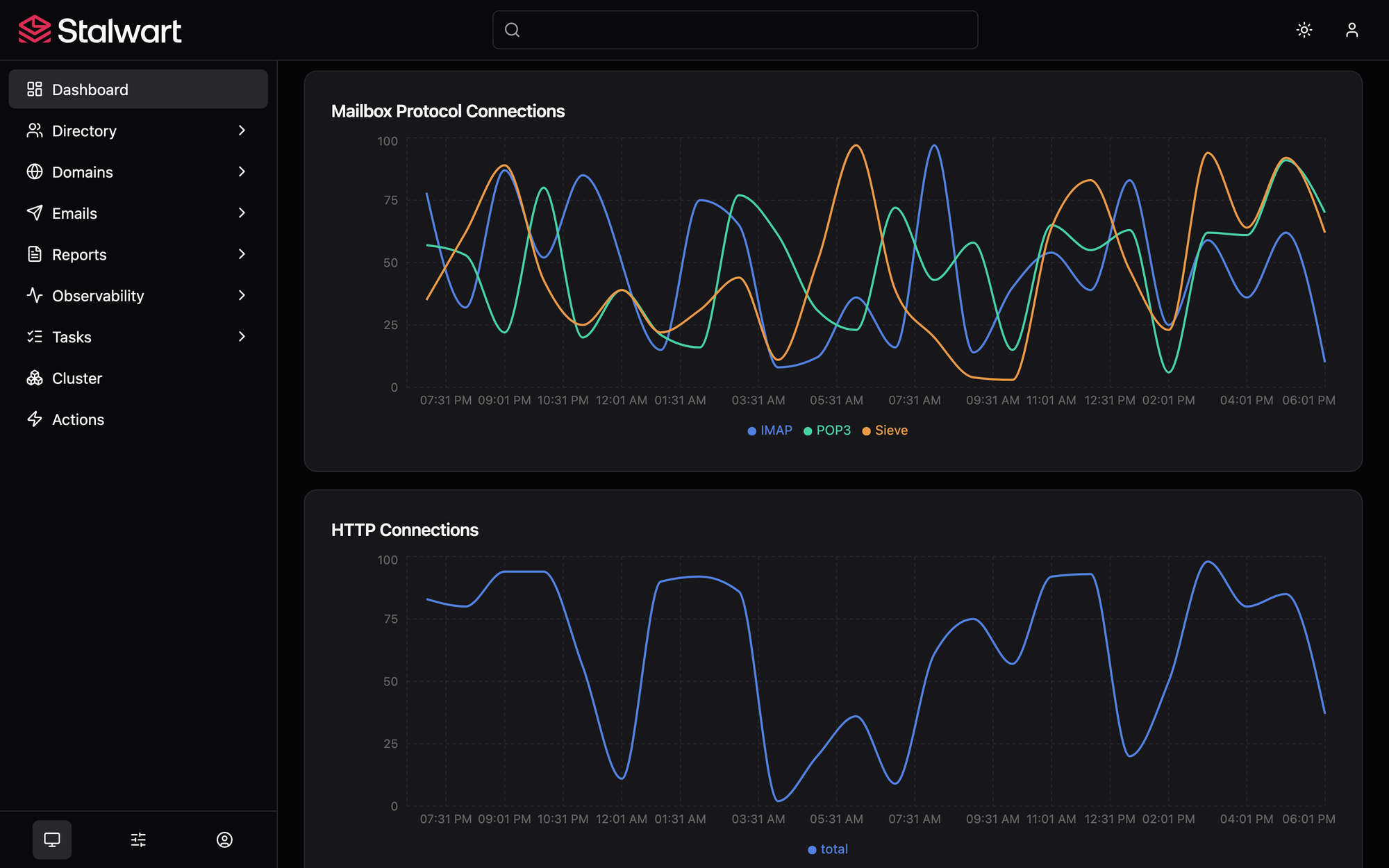
Released under AGPL v3 with over 12,700 stars on GitHub, Stalwart is an all-in-one mail and collaboration server that supports JMAP, IMAP4rev2, POP3, SMTP, CalDAV, CardDAV, and WebDAV. It includes built-in DKIM, SPF, DMARC, and ARC authentication, a statistical spam classifier, and a full web-based administration panel. Think of it as the open-source answer to Google Workspace or Microsoft 365 — but running on your own hardware.
Why Should You Self-Host Your Email in 2026?
Google and Microsoft have been steadily tightening their free tiers. Gmail's SMTP relay limits, Microsoft 365's price hikes, and the growing appetite for reading user emails "for security purposes" have pushed developers and small teams to reconsider self-hosting.
The math is straightforward. A $5/month VPS can handle hundreds of mailboxes with Stalwart, compared to $6/user/month for Google Workspace or $12.50/user/month for Microsoft 365 Business. For a team of 10, that's the difference between $60/year and $1,500/year.
Privacy is the other factor. When you run your own mail server, no one scans your emails to serve ads. Your data stays on hardware you control. For developers handling client communication, NDA-covered projects, or sensitive business correspondence, that matters.
What Do You Get in the Free Community Edition?
This is the part that surprises most people. Stalwart's Community Edition is not a crippled trial. It's a fully functional mail server with no mailbox count limits, no domain limits, and no feature gating on core email functionality.
Here's what's included at zero cost:
Email Protocols
JMAP (the modern IMAP replacement), IMAP4rev2 with full IMAP4rev1 fallback, POP3 for legacy devices, and SMTP with built-in sender authentication. DKIM key rotation is automated — the server generates new keys, publishes them in DNS, and waits for propagation before activating them.
Anti-Spam and Phishing Protection
A statistical spam classifier with collaborative filtering, DNS Blocklist (DNSBL) checking, greylisting, spam traps, sender reputation monitoring by IP, ASN, domain, and email address, and phishing protection against homographic URL attacks. This runs inline — no separate SpamAssassin or Rspamd daemon needed.
Collaboration
CalDAV for calendars, CardDAV for contacts, and WebDAV for file storage, all with JMAP equivalents. Sharing with fine-grained access controls is built in.
Authentication
Multiple backends: built-in username/password, LDAP (OpenLDAP, Active Directory), OIDC (Keycloak, Google, Microsoft Entra ID), and SQL. Two-factor authentication via TOTP, application passwords for mail clients that don't support OAuth, and API keys for automation.
Storage Flexibility
Pluggable backends for every data role: RocksDB (zero-dependency default), FoundationDB, PostgreSQL, MySQL, SQLite for structured data. S3-compatible storage, Azure Blob, or filesystem for message bodies and attachments. Full-text search across 17 languages using the built-in engine, or offload to Meilisearch, Elasticsearch, OpenSearch, PostgreSQL, or MySQL.
Security
Encryption at rest with S/MIME or OpenPGP, automatic TLS certificate provisioning via ACME (all challenge types: HTTP-01, DNS-01, TLS-ALPN-01, DNS-PERSIST-01), DANE and MTA-STS transport security, rate limiting, automated IP blocking for attackers, and memory safety guaranteed by Rust. Stalwart has passed two independent security audits by Radically Open Security.
How Does Authentication Work with Keycloak?
If you're already running Keycloak for single sign-on across your infrastructure, Stalwart integrates cleanly via OpenID Connect. The flow works like this:
First, you configure Stalwart's OIDC directory backend with your Keycloak realm URL. Stalwart validates access tokens against Keycloak's discovery endpoint, using JWT signing keys for offline validation or the userinfo endpoint for opaque tokens.
Second, you pre-create accounts in Stalwart via the WebUI, CLI, or JMAP API. Stalwart doesn't auto-provision accounts from Keycloak — this is intentional, because OIDC doesn't provide directory lookup capabilities. The mapping between Keycloak users and Stalwart mailboxes is handled by the claimUsername and usernameDomain configuration fields. A Keycloak user with preferred_username: "alice" automatically maps to [email protected] when usernameDomain is set.
Third, for mail clients that don't support the OAUTHBEARER SASL mechanism (which is most of them — Outlook, Thunderbird, and Apple Mail have inconsistent OAuth support with third-party providers), you generate application passwords in Stalwart. These are per-device credentials that can be individually revoked without affecting the main account. There's no limit on how many app passwords a user can create.
Can You Host Multiple Domains on a Single Instance?
Yes, and this is where Stalwart's multi-tenancy design becomes genuinely useful. A single Stalwart container can host unlimited domains with full isolation between them. Each domain has its own set of accounts, groups, mailing lists, and quotas.
Domain management is handled entirely through the admin panel or API — add a domain, configure DNS (Stalwart can automate MX, SPF, DKIM, DMARC, and TLSA record management on Cloudflare, Route53, Google Cloud DNS, and others), and start creating mailboxes. Removing a domain is equally straightforward: delete it from the admin panel and all associated accounts and data are cleaned up.
For multi-tenant hosting scenarios, each tenant can have its own disk quota, principal count quota, authentication backend, and branding. But even without formal multi-tenancy, the multi-domain support means you can run your personal email on yourdomain.com, a project newsletter on project.org, and a business domain on company.io — all from one container.
How Does Stalwart Compare to Other Self-Hosted Solutions?
| Feature | Stalwart (Free) | Mailcow | Mail-in-a-Box | Maddy |
|---|---|---|---|---|
| Language | Rust | PHP + Go | Shell scripts | Go |
| Memory Usage | ~100MB | ~1.5GB+ | ~1GB+ | ~50MB |
| Docker Native | Yes | Yes (docker-compose) | No | Yes |
| JMAP Support | Full | No | No | Partial |
| IMAP4rev2 | Yes | Yes (Dovecot) | Yes (Dovecot) | No |
| Built-in Spam Filter | Statistical + DNSBL + AI (Enterprise) | Rspamd | SpamAssassin | No |
| CalDAV/CardDAV | Built-in | SOGo | OwnCloud | No |
| Web Admin | Yes | Yes | Yes | No |
| Multi-tenant | Yes | Limited | No | No |
| Storage Backends | RocksDB, FoundationDB, PostgreSQL, MySQL, SQLite, S3, Azure, Redis | MySQL | MySQL | SQLite, PostgreSQL |
| License | AGPL v3 | AGPL v3 | AGPL v3 | GPL v3 |
| Security Audited | Yes (2x) | No | No | No |
The key differentiator is resource efficiency. Stalwart runs in roughly 100MB of RAM, compared to 1.5GB+ for Mailcow's stack of Postfix, Dovecot, Rspamd, SOGo, Nginx, and MySQL containers. That's a 15x difference. For a $5 VPS with 1GB RAM, Stalwart fits comfortably alongside other services.
What's in the Enterprise Edition?
Stalwart's Enterprise edition adds features relevant to larger deployments: AI-assisted spam filtering via LLM integration (supporting OpenAI, Anthropic, or any OpenAI-compatible endpoint), account archiving and undelete, live telemetry with metric-based alerts, white-label branding per tenant, and premium support with SLA commitments.
Pricing starts at €2 per mailbox per year for 25–499 mailboxes, dropping to €1.23 at 5,000+ and €0.89 at 50,000+. Each license is anchored to a hostname domain — not an individual server — so one key covers unlimited servers under your domain. Cancellation reverts to Community Edition seamlessly with no data loss.
What Are the Limitations?
No software is perfect, and Stalwart has a few things worth knowing before you commit:
It's still pre-1.0. The project has been in development for nearly five years, with 1,400+ commits, and the team calls it "feature complete." But the 1.0 release hasn't shipped yet. The database schema may change between versions, and some edge cases in upgrades may require manual intervention.
Community support only in the free tier. If something breaks at 3 AM on a Sunday, you're relying on GitHub Issues, Discord, and community forums. Enterprise support exists but starts at a meaningful mailbox count.
OIDC has limitations. Accounts must be pre-created in Stalwart, and many popular mail clients don't support OAUTHBEARER with third-party OIDC providers. You'll need app passwords as a fallback for most users.
Not beginner-friendly. Despite the web admin panel, you still need to understand DNS records, TLS certificates, mail protocols, and basic server administration. If you've never configured an MX record, expect a learning curve.
Who Is Stalwart Actually For?
It's a strong fit for developers running personal or project domains, small teams migrating off Google Workspace or Microsoft 365, homelab enthusiasts who want full control over their email, and startups that need custom domain email without per-user SaaS costs.
It's not ideal for non-technical users who need a turnkey solution, organizations that require guaranteed SLA-backed support on the free tier, or teams already invested in a complex mail infrastructure with custom Postfix rules and SpamAssassin plugins that have no equivalent in Stalwart.
Final Verdict
Stalwart represents a significant step forward for self-hosted email. The all-in-one architecture, Rust performance, and comprehensive free feature set make it one of the most compelling options available in 2026. The 100MB memory footprint means it can run alongside other services on modest hardware, and the unlimited domain and mailbox support on the free tier is genuinely generous.
Whether you're running a single personal domain or managing email for a small organization, Stalwart deserves a serious look. Download it from GitHub, spin up a Docker container, and see if it fits your stack. At worst, you've spent 15 minutes. At best, you've found your mail server for the next decade.
Interested in more deep dives on developer infrastructure and open-source tools? Browse our open-source coverage or check out the latest developer tools we've been tracking.

Comments ()